Ordered by 3pm? Shipped same day (Mon–Fri)Free shipping from €100

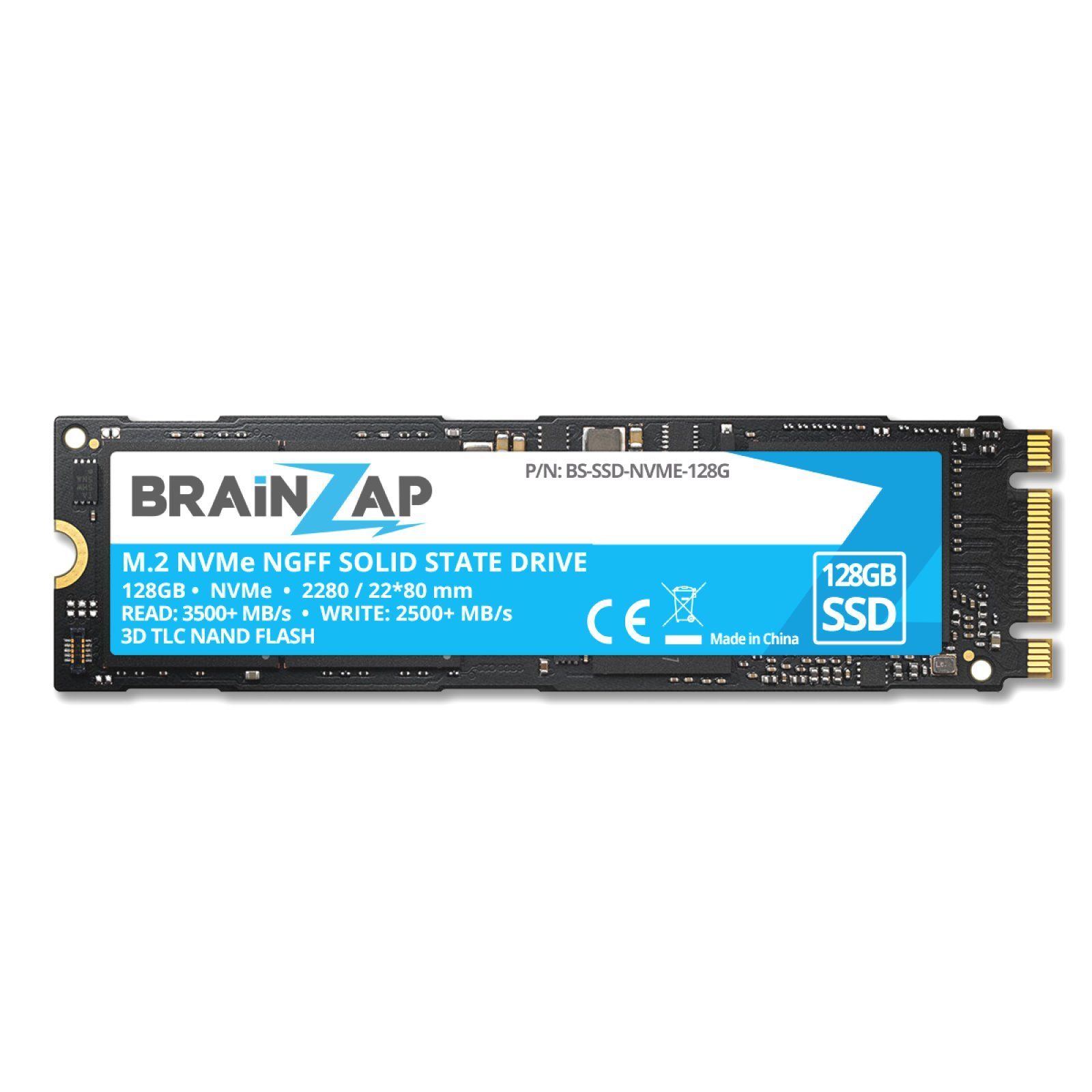
BRAINZAP 128GB NVMe® SSD - M.2 NGFF 2280 - PCI-e 3.0 x4 - 3500 MB/s Read - 2500 MB/s Write - Internal SSD

  • 128GB storage capacity
  • M.2 NVMe® SSD
  • For all notebooks, laptops, computers, and thin clients with M.2 NVMe® interface
  • 3500 MB/s read speed
  • 2500 MB/s write speed
  • 3D TLC NAND FLASH
  • 22 x 80 mm

€26.99 Out of stock
🇩🇪 incl. 19.0% VAT plus shipping costs

Send me an email when this item is available again

Description

Our 128GB M.2 NVMe® SSD with item number BS-SSD-NVME-128G reads data at up to 3500 MB/s and writes data at up to 2500 MB/s, and is manufactured and tested to the highest quality standards.

M.2 NVMe® SSDs are mainly used in modern PCs, notebooks, laptops and netbooks as well as thin clients.

3D TLC NAND flash is the common standard and is compatible with almost all devices.

For the memory chips on our SSDs we only use brand-name chips (preferably Samsung, Micron and SK Hynix).

Our super-fast 128GB M.2 NVMe® SSD with item number BS-SSD-NVME-128G reads data at up to 3500 MB/s and writes data at up to 2500 MB/s, and is manufactured and tested to the highest quality standards.

Benefit from full PCI-Express® 3.0 x4 speed with NVMe® SSDs. Up to 6x faster than conventional SATA SSDs.

NVMe® SSDs are mainly used in modern PCs, notebooks, laptops and netbooks as well as thin clients.

3D TLC NAND flash is the common standard and is compatible with almost all devices.

For the memory chips on our SSDs, we use only brand-name chips (preferably Samsung, Micron and SK Hynix).

Product Details

EAN 4262360579282
Item number BS-SSD-NVME-128G
Size 22 x 80 mm
Read speed 3500 MB/s
Model number BS-SSD-NVME-128G
Product type Internal SSD
Interface M.2 NVMe®
Write speed 2500 MB/s
Storage capacity 128GB
Technology 3D TLC NAND FLASH

Safety and contact information (GPSR)

Responsible economic operator in the EU under Regulation (EU) 2023/988 (GPSR):

Brainsap GmbH
Zum Galgenknapp 32
33378 Rheda-Wiedenbrück
Germany
Email: mail@brainzap.de

Please observe the safety, warning and usage instructions on the product or in the accompanying documentation.

M.2 2280 NVMe® · PCIe® 3.0 x4

128 GB NVMe®. Around six times faster than SATA.

NVMe® SSDs talk to the processor directly via PCI Express® instead of the old SATA interface. The result is many times the speed: large files copy in seconds, games and programs load noticeably faster.

  • 128 GB
  • M.2 2280 NVMe®
  • PCIe® 3.0 x4
  • Read up to 3,500 MB/s
  • Write up to 2,500 MB/s
  • 3D TLC NAND FLASH
BRAINZAP 128GB NVMe SSD - M.2 NGFF 2280 - PCI-e 3.0 x4 - 3500 MB/s Read - 2500 MB/s Write - Internal SSD

At a glance

128 GB

Storage capacity

3,500 MB/s

Read, sequential

2,500 MB/s

Write, sequential

Read speed compared

Around six times the speed of SATA.

MB per second when reading large files. The hard drive is a typical reference value for 2.5-inch laptop drives.

  1. Typical laptop hard drive approx. 120 MB/s
  2. SATA interface, maximum approx. 600 MB/s
  3. This SSD (read) up to 3,500 MB/s

What 128 GB means

Boot drive.

Room for Windows®, Office and the most important programs. Ideal as a fast system drive while photos and videos live on a second drive.

  1. 64 GB
  2. 128 GB Your choice
  3. 256 GB
  4. 512 GB
  5. 1 TB
Windows® starts in seconds
A second life for older devices
Large files copied in seconds

Compatibility

Will it fit my device?

Suitable for laptops, PCs and mini PCs with an M.2 NVMe® slot. Here is what matters:

  • M.2 slot with NVMe®/PCIe®Almost all laptops and motherboards from around 2017 onwards have one. Older M.2 slots sometimes only support SATA, in which case an NVMe® SSD will not run there.
  • Length 228022 mm wide, 80 mm long. This is the standard size in laptops and PCs. The retaining screw sits at 80 mm.
  • PCIe® 3.0, also in newer devicesThe SSD also runs in slots with PCIe® 4.0 or 5.0, at its own speed of up to 3,500 MB/s.

Not sure? We will check for free.

Send us the make and model of your device. You will get a binding answer, usually the same day.

Have my device checked

The form factors compared (to scale)

2.5 inch M.2 2280 mSATA
Form factor
M.2 2280 NVMe®
Dimensions
22 × 80 mm
Interface
PCIe® 3.0 x4
Memory
3D TLC NAND FLASH

M.2 SATA and M.2 NVMe® are the same size. Whether the SSD runs depends on the protocol your slot supports.

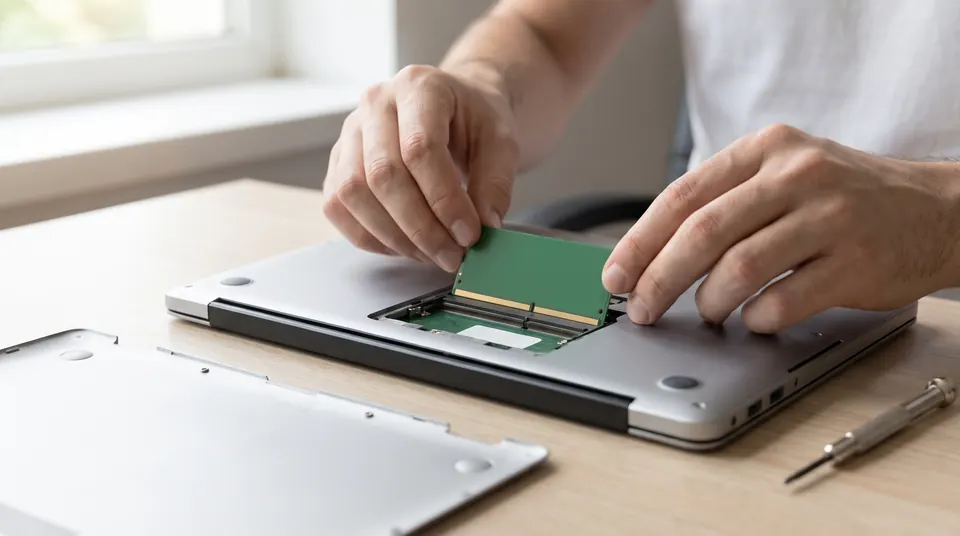
Installed in minutes

A screwdriver is all you need.

The SSD is detected automatically at startup. If you like, you can carry over your current system with all programs.

  1. 1

    Back up data, disconnect power

    Back up important files or transfer the old drive to the new SSD with a free cloning program. Then shut down the device, unplug the power supply and, if possible, remove the battery.

  2. 2

    Open the case

    Remove the bottom panel or side panel and find the M.2 slot. Touch a radiator briefly beforehand to discharge yourself.

  3. 3

    Insert at an angle

    Slide the SSD into the slot at an angle of about 30 degrees until it stops. The notch shows which way round it fits.

  4. 4

    Press flat, screw down

    Press the SSD down flat and secure it with the small screw at the end. Close the case, switch on.

BRAINZAP

German brand, German support

BRAINZAP is a brand of Brainsap GmbH from Rheda-Wiedenbrück. We ship from our warehouse in Germany. Orders that are received and paid for by 3 pm, Monday to Friday, usually go out the same day. We answer questions personally and in German.

Personal

support in German

Checked

before shipping

Shipped

from Germany

Frequently asked questions

Will this SSD fit my device?

You need an M.2 slot with PCIe®/NVMe® (M key). The SSD measures 22 × 80 mm. The manual or the data sheet of your device tells you which slots and connectors it has. Feel free to send us the make and model and we will check it free of charge.

What is the difference between M.2 SATA and M.2 NVMe®?

Both have the same form factor but use different protocols. M.2 SATA is limited to around 550 MB/s, NVMe® uses PCI Express® and reaches up to 3,500 MB/s with PCIe® 3.0. The slot must support the respective protocol. Many devices support both, some only one of them.

How fast is the SSD really?

Up to 3,500 MB/s when reading and up to 2,500 MB/s when writing, measured with large, contiguous files. In everyday use, the short access time matters most: it makes the difference compared with a hard drive when starting up and working.

How do I get my current system onto the new SSD?

Either you clone the old drive with a free cloning program and a USB adapter, then everything is as before, only faster. For this, the new SSD must be at least as large as the space used on the old drive. Or you reinstall Windows® from a USB stick.

Why does Windows® show less storage than stated?

Manufacturers count 1 GB = 1,000,000,000 bytes, Windows® counts 1,073,741,824 bytes. A 128 GB SSD therefore shows up in Windows® as about 119 GB. Nothing is missing.

What does 3D TLC NAND mean?

TLC stores three bits per memory cell; “3D” means the cells are stacked on top of each other in many layers. This is the standard technology in laptop and PC SSDs today: a good balance of speed, durability and price.

Do I need drivers?

No. Windows® 10 and 11 as well as current Linux versions include the NVMe® driver. Only very old systems (Windows® 7 without updates) cannot boot from NVMe®.

Customers also bought

Share

Customer reviews

No reviews yet

Write a review
Rating *